
KEYBOARD AND MOUSE

CHOOSE THE RIGHT KEYBOARD FOR YOUR NEEDS
FOR OFFCE USE : Go for a quiet membrane keyboard with soft keys and wrist support
FOR GAMING : Choose a mechanical keyboard with RGB lights, fast response, and anti ghosting
FOR STUDENTS : Look for a compact, wireless keyboard that saves space and offers comfort.
BEST KEYBOARD AND MOUSE COMBO
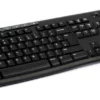
- Logitech MK235 – Budget- friendly, wireless, good battery life.
- HP 330 combo- Comfortable typing, responsive mouse
- Dell KM3322W – Stylish, Durable , Office use combo
TAKE CARE OF YOUR KEYBOARD AND MOUSE
- Clean Regularly : Use a soft brush or air blower to remove dust from between keys.
- Avoid spills: Keep food and drinks away.
- Change batteries on time : For Wireless devices
- Unplug When not in Use : Helps avoid damage and saves power.
WIRED COMBOS VS WIRELESS COMBOS
WIRED COMBOS
- Offer consistent, lag -free response- great for gaming or precision work.
- No batteries required, but cables can clutter your workspace.
WIRELESS COMBOS
- Offer freedom of movement and sit on desk cleanly.
- Dual- mode sets ( like Logitech’s unifying receiver) let you connect to multiple devices easily.
QUICK REMINDERS : Use light keystrokes – Type gently.
Posts Widget



Crystal IT Solutions Pvt. Ltd.
Address-G-4, C-58, Shahpuri Tirath Singh Tower, Janakpuri, New Delhhi-110058
GSTIN- 07DUWPA0552A1ZY